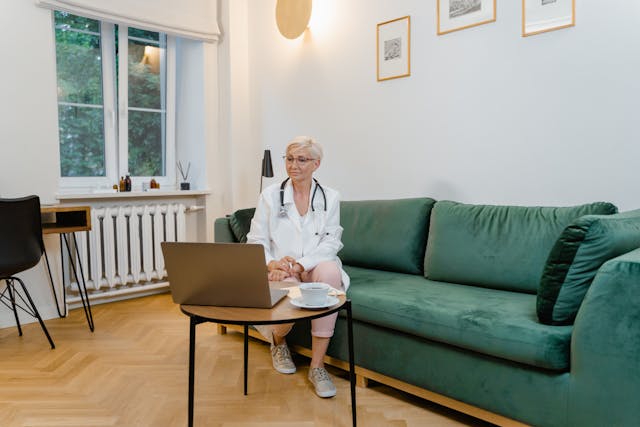
Booking a virtual doctor visit can feel like ordering takeout for your health. You stay home, avoid traffic, skip the crowded waiting room, and speak with a medical professional without touching a chair that has probably witnessed far too many coughs. The appointment may happen through a phone, tablet, or computer, but it still deserves a little preparation.
The latest technology or a home office that looks like a TV studio won’t make an online consultation successful. Facilitating communication between you and the doctor is key. A glitchy screen adventure can become a smooth and helpful appointment with some careful planning.
Know what a virtual visit can and cannot do
Telehealth works well for many everyday health concerns. A doctor may be able to discuss cold symptoms, medication questions, minor skin problems, allergies, digestive complaints, sleep issues, mental health concerns, and follow up on an existing treatment plan. You can also discuss test results, receive guidance about self care, and ask whether an in person examination is necessary.
However, video calls have constraints. Your doctor needs special equipment to inspect a swollen ankle or listen to your lungs. A severe injury, abrupt weakness, acute breathing difficulties, chest discomfort, or other urgent symptoms may necessitate in-person care instead of a virtual session.
Think of telehealth as a useful doorway, not a magical medical telescope. It can help your doctor understand what is happening and decide what should come next. Sometimes the next step is advice and a prescription. Sometimes it is a clinic visit, laboratory testing, imaging, or urgent treatment.
Treat the appointment like a real medical visit
Because you are sitting on your sofa, it is tempting to behave as if the appointment is a casual chat. That can lead to distractions, missing information, and the sudden discovery that you are still wearing slippers decorated with cartoon ducks. Comfort is fine, but attention matters.
Set aside the appointment time rather than trying to squeeze it between household chores. Turn off the television, silence unnecessary notifications, and ask family members not to interrupt unless the house is on fire or the dog has learned to open the refrigerator.
Keep your identification, insurance details, pharmacy information, and medical records nearby if they are relevant. You may not need everything, but searching for a prescription bottle while your doctor waits can make a simple question feel like an archaeological expedition.
Create a reliable appointment station
Choose a place with a stable surface for your device. Holding a phone in one hand while trying to describe your symptoms with the other can make you look like a news reporter covering a hurricane from inside a closet. A desk, table, or phone stand is much easier.
Place the camera roughly at eye level. If the camera points upward from your lap, your doctor may receive an impressive view of your ceiling and half of your chin. A raised device also helps you maintain a natural posture and keeps your hands available if you need to demonstrate a movement.
Check the background as well. You do not need a spotless house, but a reasonably calm setting can make the visit feel more professional and private. Close doors, move away from noisy appliances, and avoid sitting beside a window if traffic noise is likely to compete with the conversation.
Improve sound before improving appearance
Clear audio is more important than looking perfectly polished. A healthcare professional needs to hear when your symptoms began, how they have changed, and what concerns you most. If the sound keeps cutting out, even a brilliant description can turn into mysterious fragments.
Headphones with a microphone can reduce echoes and make it easier to hear. If you use wireless headphones, charge them before the visit. Technology has a talent for behaving beautifully until the exact moment it becomes important, then announcing that its battery is at two percent.
Speak at a normal pace and pause after answering a question. Video calls can have a slight delay, so rushing to fill every silence may cause both you and the doctor to speak at once. If you miss something, ask for it to be repeated. Guessing is useful for crossword puzzles, not medication instructions.
Organize your health story
A useful appointment depends on a clear story. Before the call, arrange your thoughts in a simple timeline. Include the first day you noticed the problem, what happened afterward, and whether anything changed the symptoms.
Describe the sensation as specifically as possible. “I feel bad” is understandable, but “I have a burning pain in the upper abdomen after meals” gives the doctor more to work with. Mention frequency, severity, triggers, and anything that improves or worsens the problem.
It can help to record details such as:
- The main symptom
- When it began
- How often it appears
- Whether it is getting better or worse
- Recent illnesses or injuries
- New medicines, supplements, or foods
- Relevant medical conditions
- Any measurements you have taken at home
Do not worry about sounding dramatic or overly precise. Your notes are there to support your memory, especially if nerves turn your brain into a bowl of slippery marbles once the appointment begins.
Show symptoms safely and clearly
Some concerns are easier to discuss when the doctor can see them. If you have a rash, swelling, bruising, redness, or another visible change, take a few well lit photographs before the appointment. A photo taken in daylight may show more detail than a dim video image.
Keep the affected area easy to access, but protect your privacy. You should never feel pressured to expose more than is necessary. If the doctor asks you to move, bend, walk, or press on a particular area, follow the instructions only if you can do so safely. Clear a little space around you first. A virtual examination is not improved by tripping over a laundry basket in pursuit of diagnostic glory.
For children, older adults, or anyone who needs assistance, have a trusted person nearby if appropriate. That person can help hold the device, provide background information, or remember instructions.
Make medication information easy to verify
Medication mistakes often happen because names and doses are surprisingly difficult to remember. Place your prescription containers within reach or prepare a current medication list. Include over the counter products, vitamins, herbal supplements, creams, inhalers, and occasional medicines.
Be ready to mention allergies and previous reactions. If you recently stopped taking something, say so. The reason may matter, particularly if you stopped because of side effects, cost, confusion, or difficulty obtaining a refill.
Do not alter a dose or stop a prescription simply because the appointment is scheduled. Wait for medical guidance unless you are dealing with an emergency that requires immediate assistance.
Finish with a clear action plan
The last few minutes deserve as much attention as the opening greeting. Ask the doctor to explain what happens next in plain language. You should know whether you need a prescription, testing, another appointment, monitoring at home, or an in person examination.
Repeat the main instructions back in your own words. This is not a school test, and nobody is grading your performance. It is a practical way to confirm that you understood the plan correctly.
Write down warning signs that should prompt faster care. Also note when you should expect an update, result, referral, or follow up visit. If the appointment ends suddenly because of a technical problem, check the clinic’s instructions for reconnecting or calling the office.
FAQ
Do I need a computer for a virtual doctor visit?
No. Many services work on smartphones and tablets as well as computers. Use the device that has a dependable internet connection, a functioning camera, and a microphone that does not make you sound like you are speaking from inside a saucepan.
What should I do if the video stops working?
Stay calm and check whether the problem affects your camera, microphone, internet connection, or the appointment platform. Refreshing the page may help, but do not leave the appointment entirely unless instructed. Many clinics can continue by telephone or provide another connection method.
Can I have another person join the appointment?
Usually, yes, if you want support or need help explaining your medical history. Tell the healthcare professional who is present and why. If another person joins remotely, make sure everyone understands that the appointment involves private health information.
Should I take my temperature or blood pressure beforehand?
If you have reliable equipment and know how to use it, recent readings may be useful. Record when each measurement was taken and share the numbers honestly. Do not borrow a device you cannot operate or repeatedly measure yourself until the numbers begin behaving like lottery results.
Can a virtual doctor visit provide a prescription?
A healthcare professional may prescribe medication when it is clinically appropriate and legally permitted. The prescription may be sent electronically to a pharmacy. Ask which pharmacy will receive it and when you should expect it to be ready.
What if I feel worse after the appointment?
Follow the safety instructions provided during the visit, but seek urgent help for severe or rapidly worsening symptoms. A virtual consultation does not replace emergency care when a serious problem may be developing.